How Should Delivery Drivers Track Earnings Across Multiple Apps?
Learn how to combine earnings, tips, mileage, time, and expenses from multiple delivery apps so you can see which work is actually profitable.
By TRUE Driver Profit · September 14, 2026
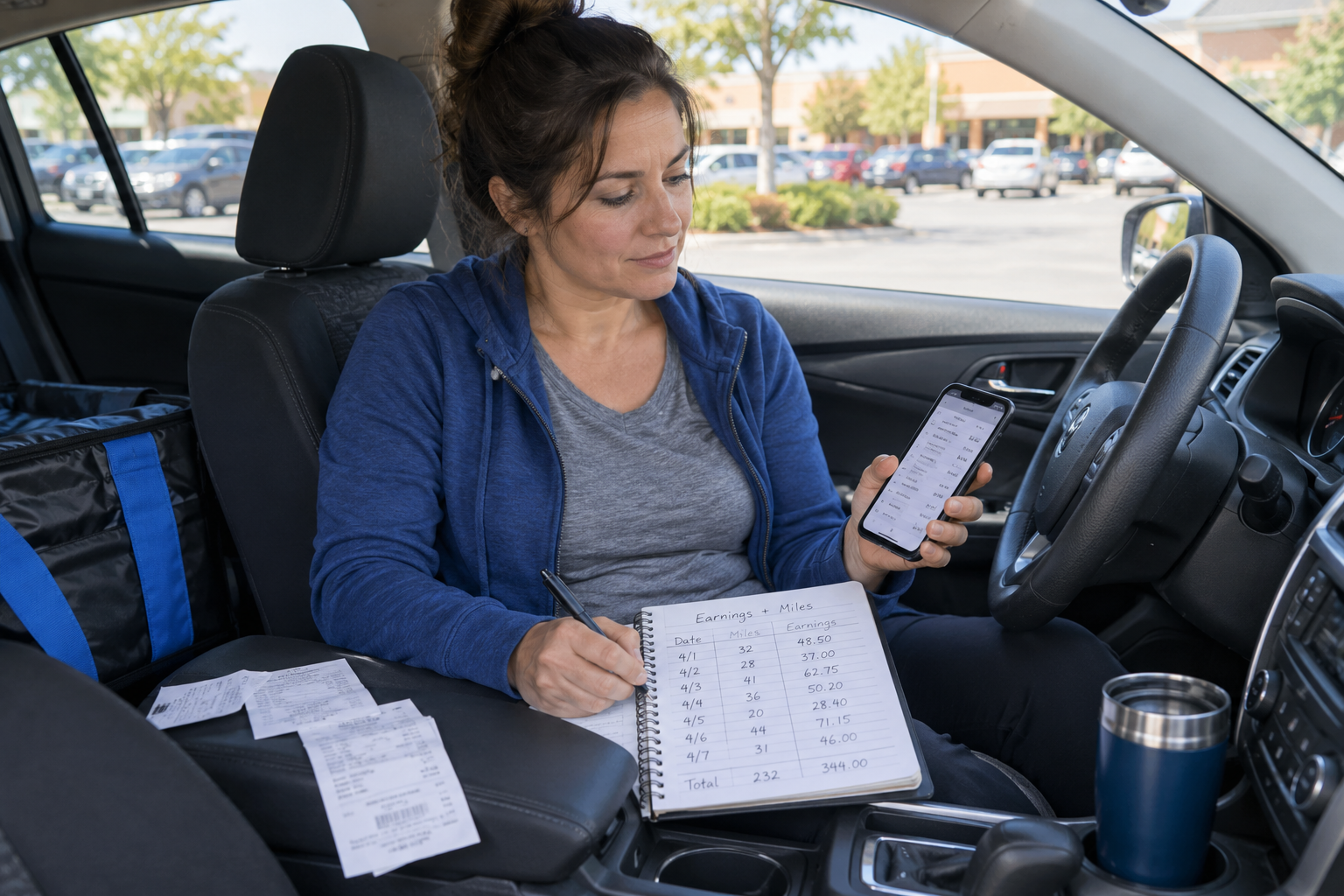
Working more than one delivery app can make a slow day better, but it can also make your earnings harder to understand. One app may show a strong payout while another gives you more orders with fewer miles. If you look only at each app’s weekly total, you may miss which work is actually helping your profit. The goal is not to create a complicated bookkeeping system. You need one clear record that brings your earnings, time, mileage, and expenses together.
Why Each App’s Earnings Screen Tells Only Part of the Story
Delivery apps are useful for confirming what they paid you, but they do not always show the full cost of earning that money. They may separate base pay, tips, incentives, adjustments, and reimbursements. They also may measure time and mileage differently. That makes comparing two apps harder than comparing the totals shown on their screens.
Gross Earnings Are Not the Same as Profit
Suppose one app pays you $120 and another pays you $90 during the same week. The first app appears to be the better choice. But what if earning that $120 required more driving, longer waits, and several trips outside your preferred delivery area? The higher-paying app may still be more profitable, but you cannot know until you include the costs and time connected to that work.
Weekly Deposits Can Be Misleading
A bank deposit may include work completed on different days, delayed tips, bonuses, or adjustments. If you use deposits alone, it becomes difficult to match income with the miles and expenses that produced it. Record earnings based on when the work happened whenever possible, not only when the money reached your bank account.
What Delivery Drivers Should Track Across Every App
A useful tracking system should be simple enough to maintain after a long shift. You do not need to record every detail an app displays. Focus on the information that helps you understand your real results.
Earnings and Tips
Record your total earnings from each app. When possible, separate confirmed tips from base pay, incentives, and other adjustments. Do not treat an estimated tip as final income until it is confirmed. Customers can sometimes change tips, and some apps delay when those tips appear.
Working Time
Track the time you spent available for delivery work, not only the time an app labels as active. Waiting for an order, driving toward a busier area, sitting at a pickup, and returning from a drop-off can all affect what you truly earned per hour. If you worked multiple apps during the same period, do not count the same hour twice.
Business Mileage
Track the miles connected to your delivery work across the entire shift. This may include driving to a pickup, completing the delivery, returning to your working area, or repositioning while looking for another order. Avoid adding each app’s mileage estimate together without checking for overlap. Apps may count different portions of the route, and some may leave out unpaid driving.
Vehicle and Operating Expenses
Fuel is the expense drivers notice most often, but it is not the only cost. Maintenance, tires, repairs, depreciation, insurance, and other vehicle costs also affect profit. You do not need to divide every repair bill between individual apps. Track your total vehicle cost using one consistent method, then apply that cost to the business miles driven during the period you are reviewing.
How to Avoid Double-Counting Time and Miles
Double-counting is one of the easiest mistakes to make when working multiple apps. Imagine that you are logged into two apps for three hours. App A shows two hours online, and App B also shows two hours online. Adding those together would give you four hours even though only three hours passed. The same problem can happen with mileage if two apps count parts of the same route.
Use One Shift as the Main Record
Start with the complete work period: when you began working, when you finished, and the total business miles driven. Then record which app produced each order and how much that order paid. This keeps your shift totals accurate while still allowing you to compare the apps.
Assign Shared Waiting Time Carefully
When more than one app is open and you are waiting for an offer, that waiting time belongs to the shift as a whole. It should not be counted as separate time for every app. If you want to compare apps, focus on the time connected to accepted orders and look at shared waiting time separately.
Compare Apps by Profit, Not Just Payout
Once your records are together, you can compare more than weekly earnings. Look at: - Total earnings from each app - Completed orders - Delivery miles - Estimated vehicle cost - Time connected to the work - Profit per mile - Profit per hour - Average profit per completed order No single number tells the whole story. Profit per mile may reveal that one app sends you on costly routes. Profit per hour may show that another app keeps you waiting too long. Average profit per order can help you see whether frequent small offers are actually moving your day forward.
Review Patterns Over Several Weeks
One slow afternoon should not decide whether an app is worth using. Demand changes by day, time, weather, season, and market. Review at least a few weeks of consistent records before making a major decision.
Look for the Conditions Behind Your Best Results
You may discover that one app works best during breakfast, another performs better on weekends, and another is useful only when a strong incentive is available. That information is more valuable than simply naming one app as the winner.
Separate App Performance From Offer Selection
An app may provide profitable opportunities even if many of its offers are weak. Your results depend partly on the offers available and partly on the ones you accept. Track enough detail to see whether poor results came from the platform, the market, or your own acceptance choices.
Keep the System Simple Enough to Use
The best tracking method is the one you will continue using. You can use a notebook, spreadsheet, or delivery-profit app, but the basic routine should remain simple: 1. Start one record for the complete work period. 2. Record each completed order under the correct app. 3. Confirm final earnings and tips. 4. Record total working time and business mileage. 5. Include vehicle costs. 6. Review profit by app, hour, mile, and order. If the process takes too long, simplify it. Consistent records with the right numbers are more useful than a detailed system you stop using after a few days.
Better Records Lead to Better Delivery Decisions
Working across multiple apps can give drivers more choices, but those choices only help when you can tell which work is truly profitable.
Bring all your earnings into one view. Count the full time and mileage connected to the shift. Include the cost of operating your vehicle. Then compare the apps using the same measurements.
That is how you move beyond asking which app paid the most and start seeing which work actually helped you keep more of what you earned.